Build parametric parts in the Attachment Editor
Build a reusable fitting from parametric CSG, then place and configure its instances in a Frame.
On this page
Model the fitting as parametric CSG#
The Attachment Editor authors constructive solid geometry, or CSG. Combine primitives such as boxes and cylinders with Boolean operations, transforms, and repeats. The editable tree records how the part is made; named properties and expressions keep its dimensions reactive.
A motor mount can derive its repeated hole pattern from a count and mounting radius. A sleeve can derive its bore from the host tube. The model remains a reusable construction with editable inputs, rather than only a finished mesh.
Use the Frame Editor to arrange the structure and configure placed instances. Use the Foreign Part Editor to import purchased geometry and edit its mate interfaces.
Start from a reusable part#
Open the Attachments library. Choose Duplicate on a relevant preset to create an independent working copy. Open instead uses that preset's editable working document. Drafts save locally with reversible history.
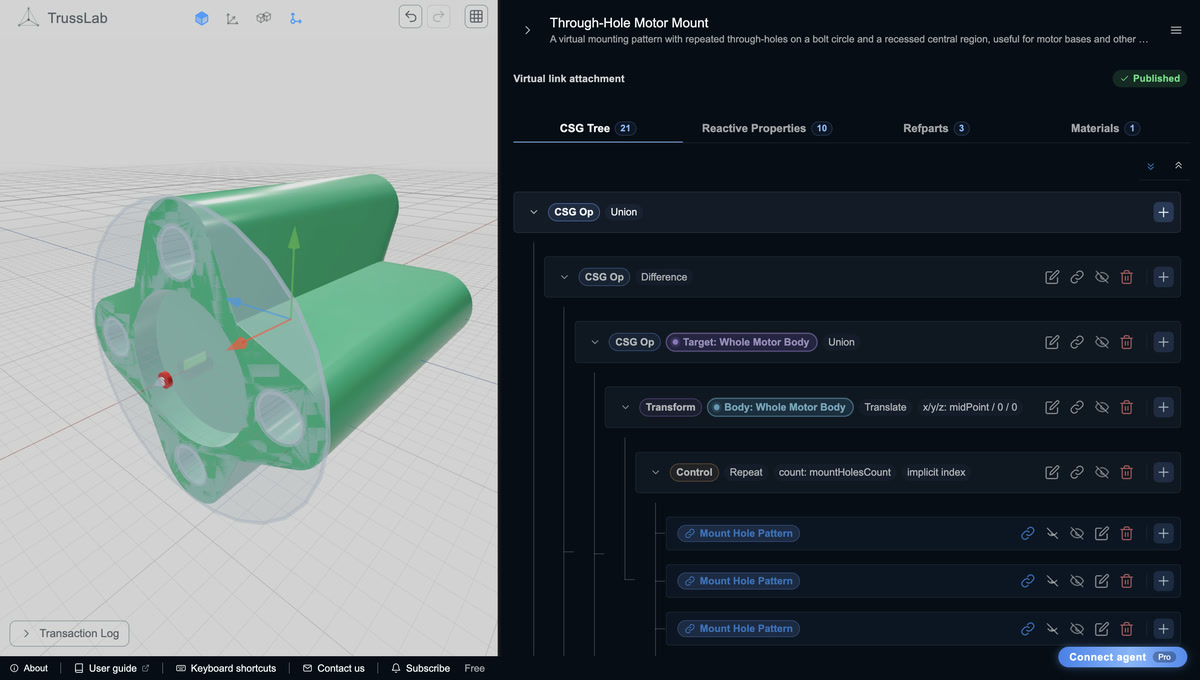
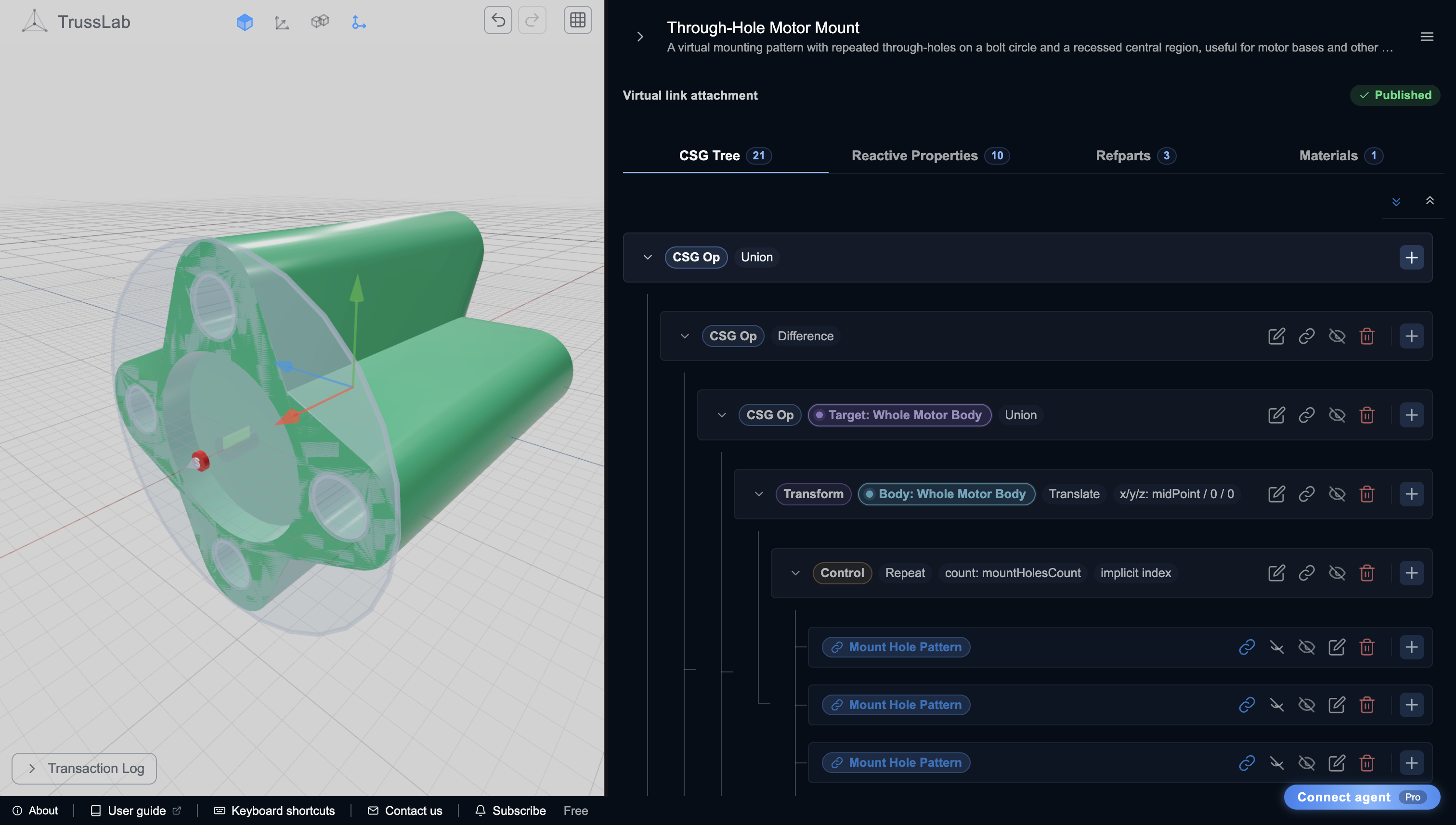
The Through-Hole Motor Mount, shown below, is a useful example: its CSG describes a support body, a repeated bolt-circle pattern, and a recessed central region. Inputs control hole count, mounting radius, hole size, and relief depth, while a Virtual link supplies placement and runtime dimensions in a Frame.
Choose the attachment context deliberately. Physical receives the dimensions of supported stock profiles, Virtual follows a reference link, and Free uses explicit parameters and world placement. Read reusable attachment contexts before starting a new type.
Read and edit the CSG Tree#
Open CSG Tree and expand the model's branches. Select a node to inspect its dimensions, expressions, and role. The construction operations have distinct jobs:
- Union combines positive geometry.
- Difference subtracts later operands from the first operand, making holes, pockets, and passages.
- Intersection keeps the shared volume.
- Hull forms a convex envelope around its operands.
- Transforms position, rotate, or scale a subtree; repeats reuse a template at multiple placements.
Use Add child on an eligible tree node to extend the construction. Keep cutters under the operation that should own them. Inspect both the final result and the relevant intermediate shapes when a feature disappears or a passage closes.
The Refparts tab holds reusable subparts referenced by the tree. They help express repeated construction without independently rebuilding the same detail at each use.
Make dimensions reactive#
Open Reactive Properties. Properties are identified as Runtime, Input, or Computed:
- Runtime properties come from the attachment context, such as supported host dimensions.
- Input properties expose choices when the type is placed in a Frame.
- Computed properties derive internal dimensions from expressions.
Primitive dimensions and transform fields can reference those names. A computed dimension preserves its relationship as an input changes; replacing its expression with the current number removes that relationship. Input metadata supplies a useful label, description, and ordering for the placed instance's controls.
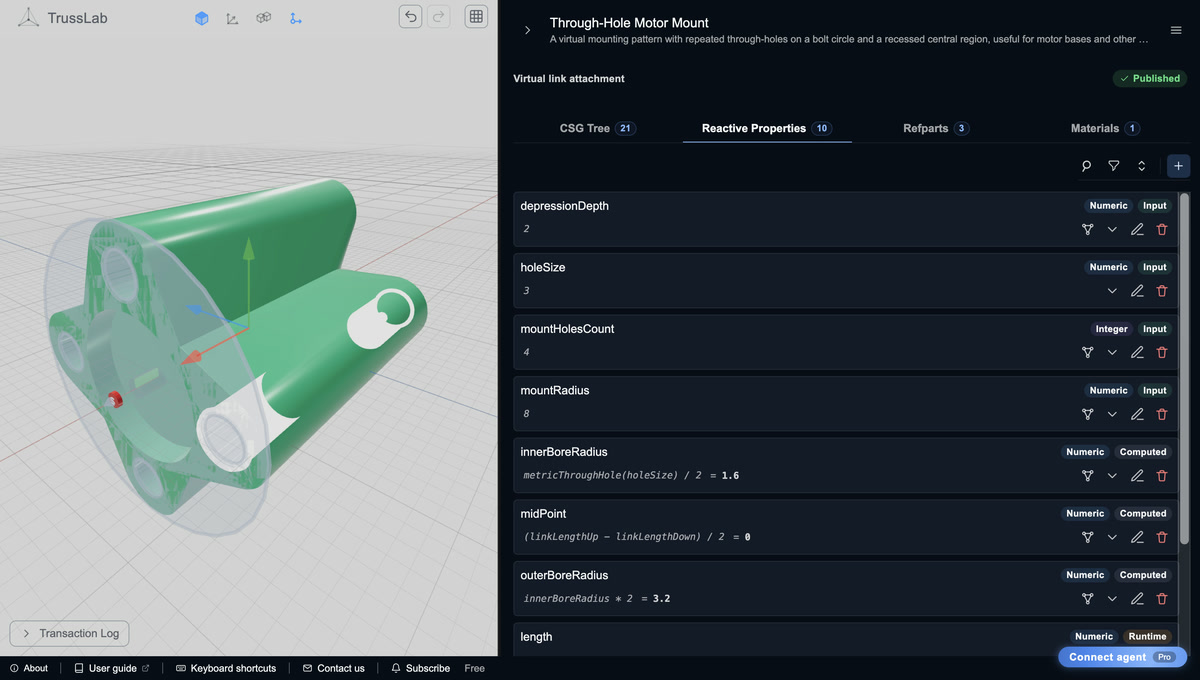
Open the parameter screenshot at full resolution.
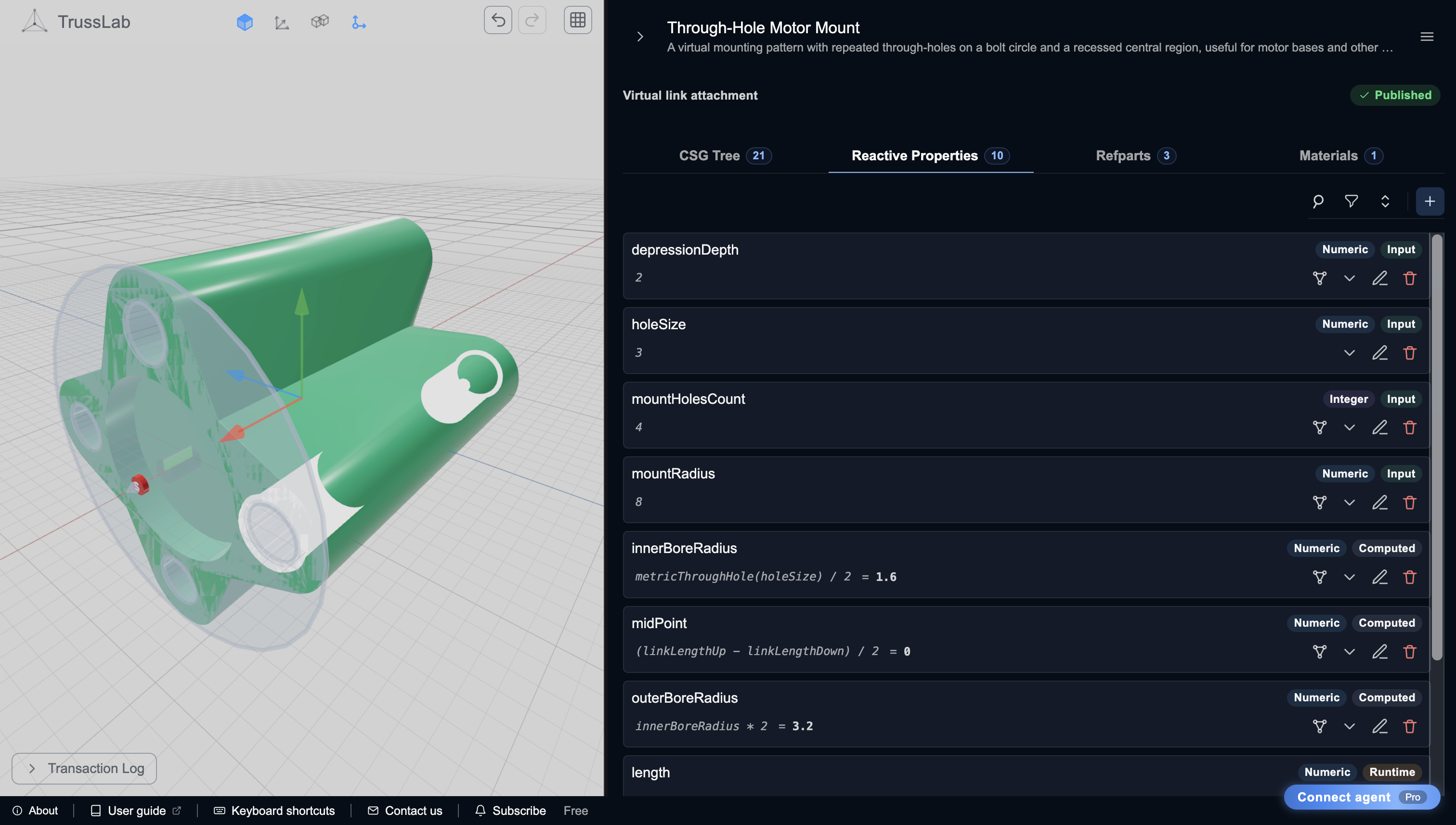
In this capture, holeSize feeds the computed innerBoreRadius, and outerBoreRadius derives from that result. mountHolesCount drives the repeat shown in the CSG tree.
For a small first edit, duplicate Through-Hole Motor Mount, note its current mountRadius, and increase that input slightly. Inspect the repeated hole pattern and dependent geometry in CSG Tree, then Undo and confirm the original geometry returns. This changes a reusable design's default, rather than one Frame instance. Hole spacing must match the actual motor, so restore the original value before reusing its original mate pattern.
Define bodies, connection ports, and clearances#
A reusable attachment exports more than its visible shape. Mark the intended Manufactured body regions when it needs explicit body boundaries. A clamp with a removable half must retain that half as a separate body.
A connection port selects a region for an Attachment Connection and identifies its owning manufactured body. Small, deliberate ports can shape a connector differently from a port covering the entire fitting.
Clearance / keep-out marks space that connected printable geometry must respect. A local Difference makes this part's hole; a marked clearance also protects the passage when another body or Hull connection adds material nearby. Ordinary local cuts do not automatically become shared clearances.
Read bodies, ports, and clearances and shared clearances before composing a fitting into a joint. A purchased part's diagnostic keep-out has a separate role and does not cut this CSG.
Set material preferences#
Use Materials to set each body's material and appearance preference. An unset preference leaves default-based Frame placement to choose the relevant Frame fallback. Existing instances keep their concrete assignments when defaults change. See authored material preferences.
Publish the type and use it in a Frame#
Use Publish to Frame Editor to make a checked local version available. In a Frame, add it through Catalogue → Attachments, then place an instance from + Add. Configure its exposed inputs there; the reusable type remains the authoring source for its CSG construction.
Editing and publishing a later type version does not silently change existing Frames. Use current exact release in the Frame catalogue explicitly adopts the newer version and validates its existing instances and relationships. You can undo that update.
For the complete motor-mount workflow, author the fitting here, edit the purchased motor's mate interfaces in the Foreign Part Editor, then bring both into the Frame and mate compatible sites.
Export or share the design#
Use Import/Export for manufacturing geometry or Editable TrussLab model for the reusable design, expressions, and optional construction history. A Frame package includes the type version it needs, but does not give the recipient a standalone editable attachment document. Export the attachment itself when someone needs to revise its CSG.
See editable sharing. Connected Pro agents can also edit the same Attachment Editor document through MCP.
Get occasional TrussLab updates, or send questions and build notes directly.
Subscribe to our newsletter